Major Changes to the Settings Menu for Creating Scheduling Pages

About New Features

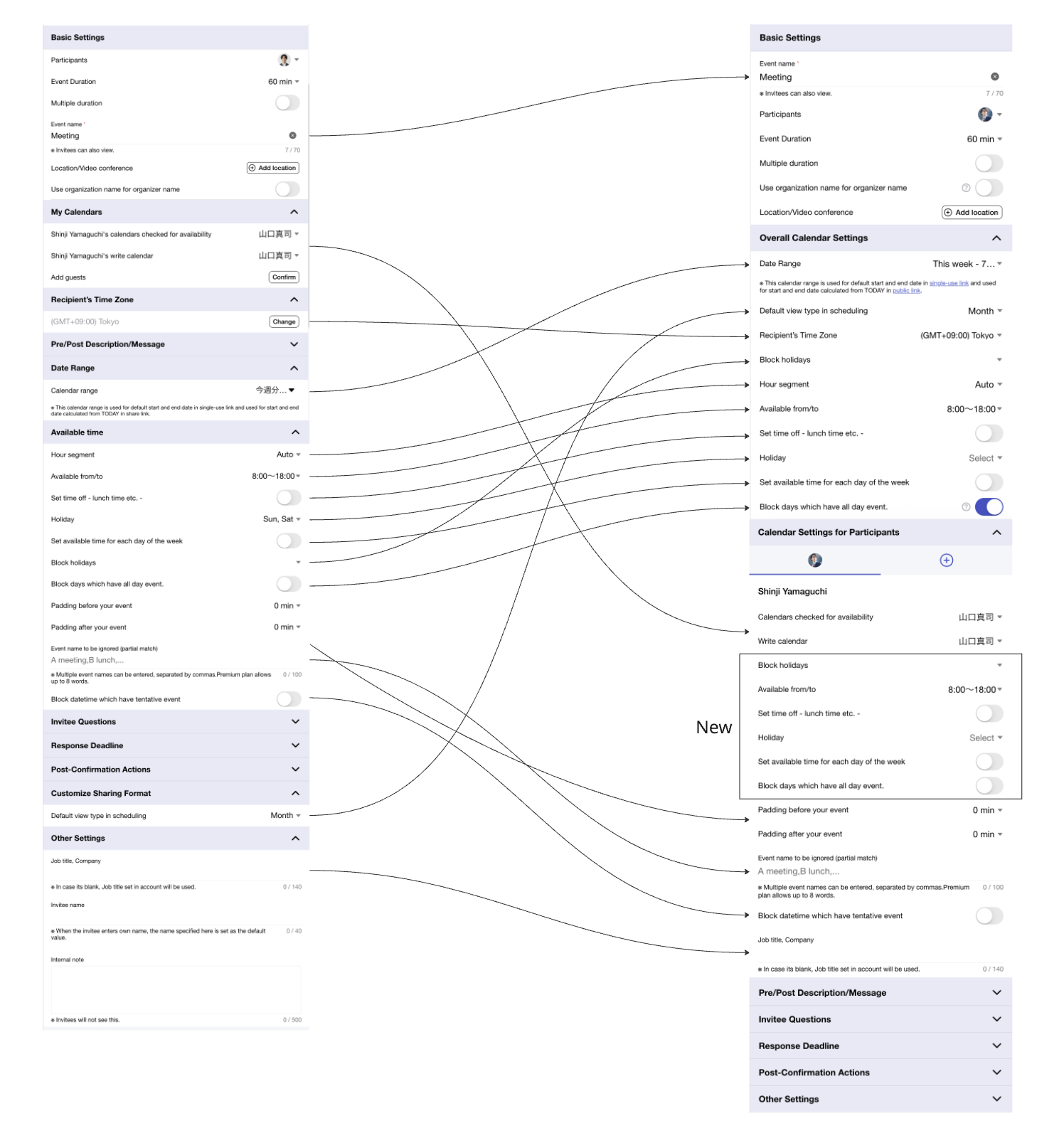
We have added several new settings and reorganized existing ones into "Overall Calendar Settings" and "Per-Participant Calendar Settings."

Overall Calendar Settings Allows you to modify calendar settings when creating a scheduling page. Settings such as start/end times, off-time, and holidays configured here will always be blocked (not selectable) on the scheduling page.
Per-Participant Calendar Settings Allows you to view and modify the calendar settings for each participant in the scheduling page. Note that you can only modify settings for your own account.

As part of this update, the following settings have been added:

  • Calendar start/end times, off-time, holidays, and national holiday settings that apply only to the scheduling page creator's account.
  • Overall calendar start/end times, off-time, and holiday settings for Select Type Scheduling.

This change provides the following benefits, especially for team spaces:

  • For scheduling with multiple participants, you can now view each participant's settings on the spot (some settings may not be viewable).
  • Previously, when using the "OR" rule, it was not possible to separate the overall scheduling page's start/end times, off-time, holidays, and national holidays from the scheduling page creator's account settings. You can now configure these separately, allowing for more flexible scheduling.
  • For proxy scheduling, you can now specify national holidays in the overall calendar settings.

Notes Before the Update

There are no special notes. You can continue to schedule as usual without making any changes to the settings.
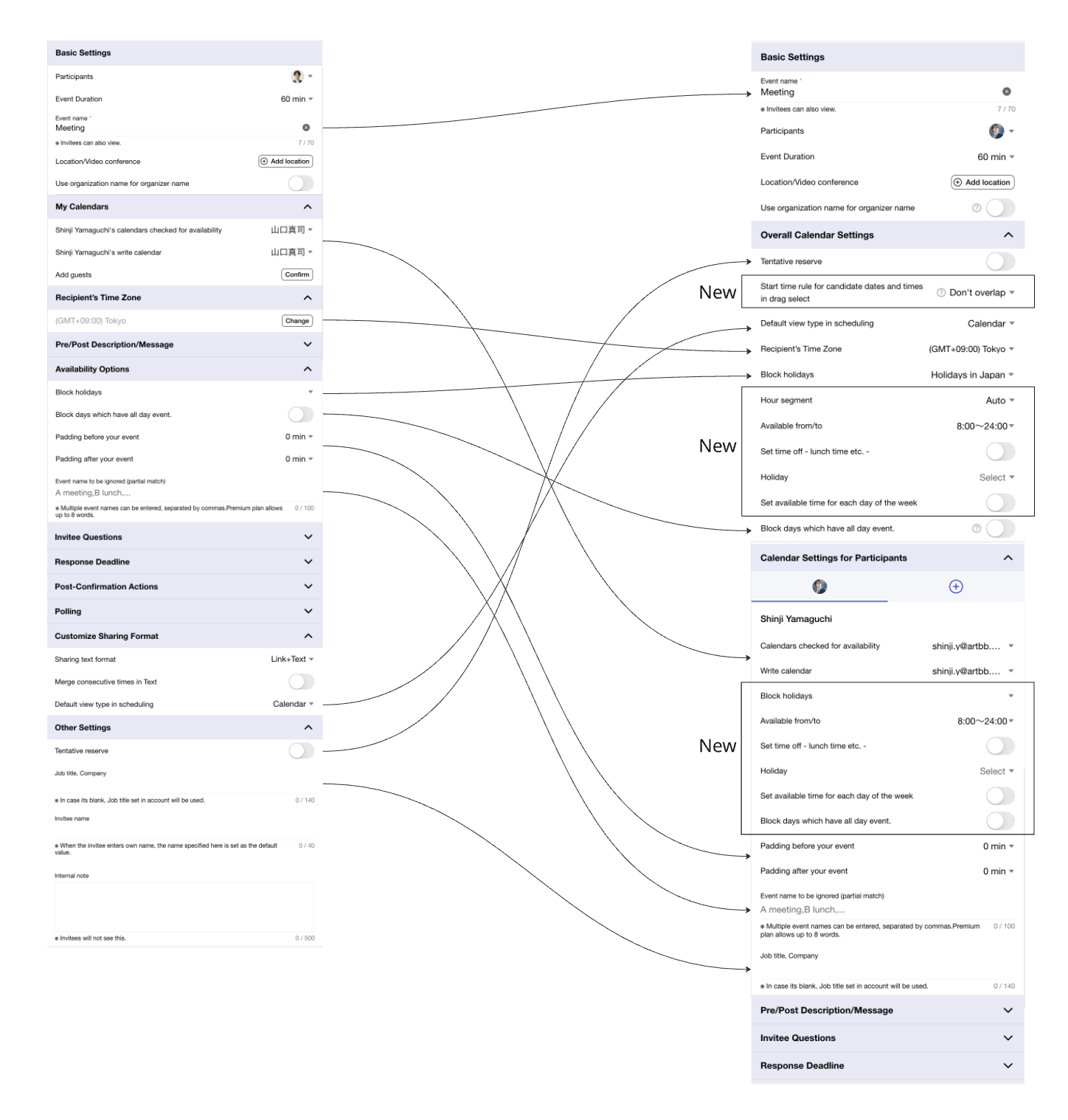
Changes in Select Type Scheduling

Changes in Quick Type Scheduling